


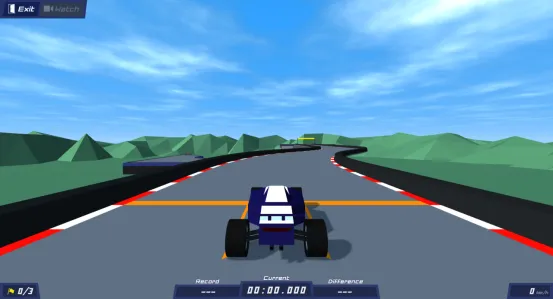
Polytrack Screenshots
Who Should Play
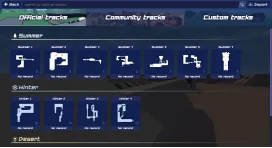
Polytrack’s core goal is for players to control their race cars and complete the race in the shortest time on selected tracks (Official tracks / Community tracks / Custom tracks) with precise control and strategic planning. Meanwhile, you can use the customization system to build unique race cars and create quality tracks. You can also challenge the level leaderboards to unlock higher rankings and competitive honors.
How to Play
- Create a racing car in your profile. Customize its primary/secondary body colors, tires, frame and rim colors via the customization tool; random color scheme generation is supported.
- Choose from three track types: Official, Community and Custom Tracks. All tracks offer Summer, Winter and Desert backdrops for free selection.
- Real-time data (current speed, track record and elapsed time) is shown during races to assist in adjusting your pace.
- Each track has checkpoints. Use “Return to Checkpoint” or “Restart” to recover quickly if the car goes off-track or you make errors.
- Use the Track Editor to design tracks. It supports testing, saving and random generation. View your designs in the Custom Tracks tab or export track data after creation.
- After completing a track, check your personal best time and ranking. Watch your race replay, browse the leaderboard and other players’ records, or challenge opponents from the leaderboard.
Keyboard Controls
- Up Arrow Key: Accelerate the racing car.
- Left Arrow Key / Right Arrow Key: Steer the racing car left or right.
- Down Arrow Key: Decelerate or reverse the racing car.
- R Key / Enter Key: Return to the previous checkpoint.
- T Key / Backspace Key: Restart the current level.
Frequently Asked Questions
Press R or Enter to return to the last checkpoint; press T or Backspace to restart the current level for quick error correction.
Browse and play levels made by other players in "Community Tracks", or add shared tracks via the "Import Track Data" function in the editor.
Enter the "Customization" option on the main menu. Adjust the car’s primary/secondary body colors, tire, frame and rim colors. The random generation function is available for quick design.
Click the save button in the editor to save the track (a unique track data will be generated). Go to "Custom Tracks", click share, copy the data to share. Other players can experience it via the import feature.